Division 08
Door & Hardware Takeoff Workbook (Excel + Google Sheets)
Count every opening, roll up every hardware set, and price the job. A Division 08 door schedule, hardware-set builder, trim takeoff and bid summary in one workbook.
Instant download (zip with BLANK + SAMPLE .xlsx). Excel 2016+ and Google Sheets. No macros, no subscription. 14-day no-questions refund.
Save with the Div 06-08 Estimator Bundle: all 3 workbooks for $79 (separately $107).
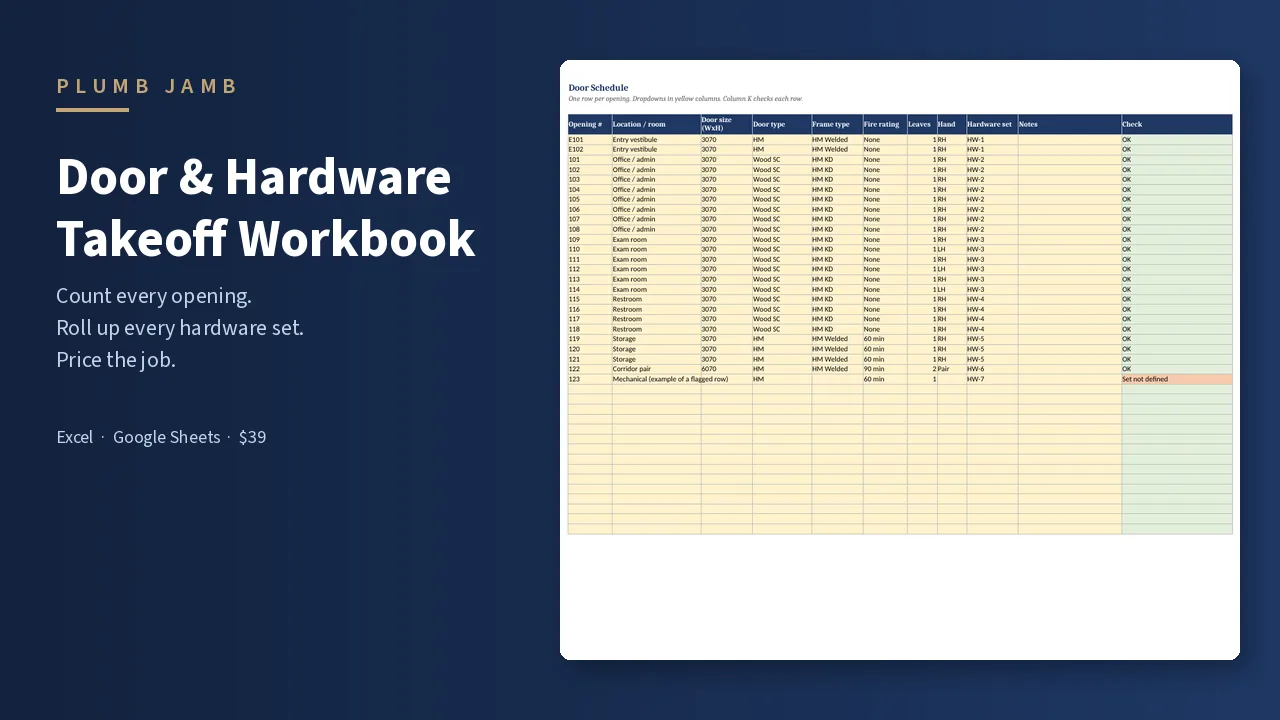
Screenshots (sample job)
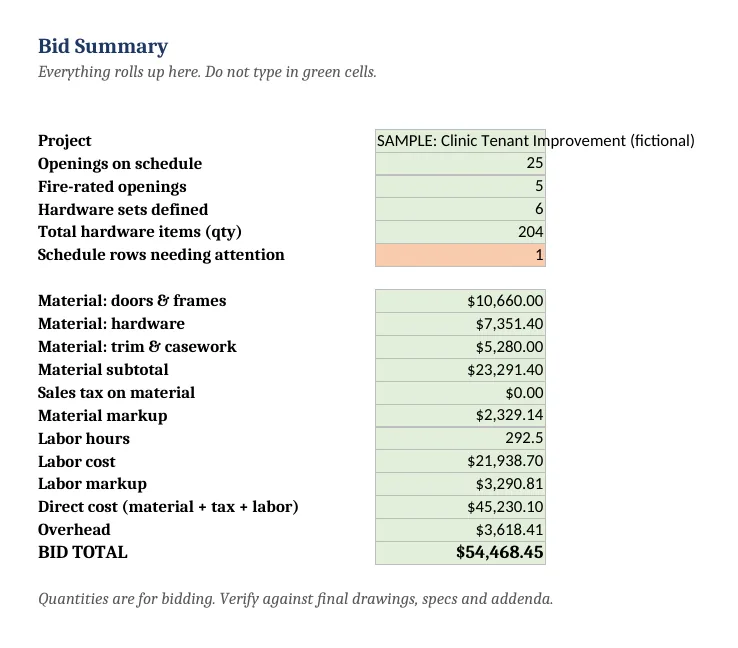
Count every opening. Roll up every hardware set. Price the job.
This is a door schedule, hardware-set builder and bid summary in one workbook, built for finish carpenters, door and hardware installers, and small commercial subs who bid from a door schedule. Enter each opening once. The workbook counts how many times each hardware set is used, totals every hinge, lock, closer and exit device, and rolls material, labor, markup and overhead into a bid number.
What's inside
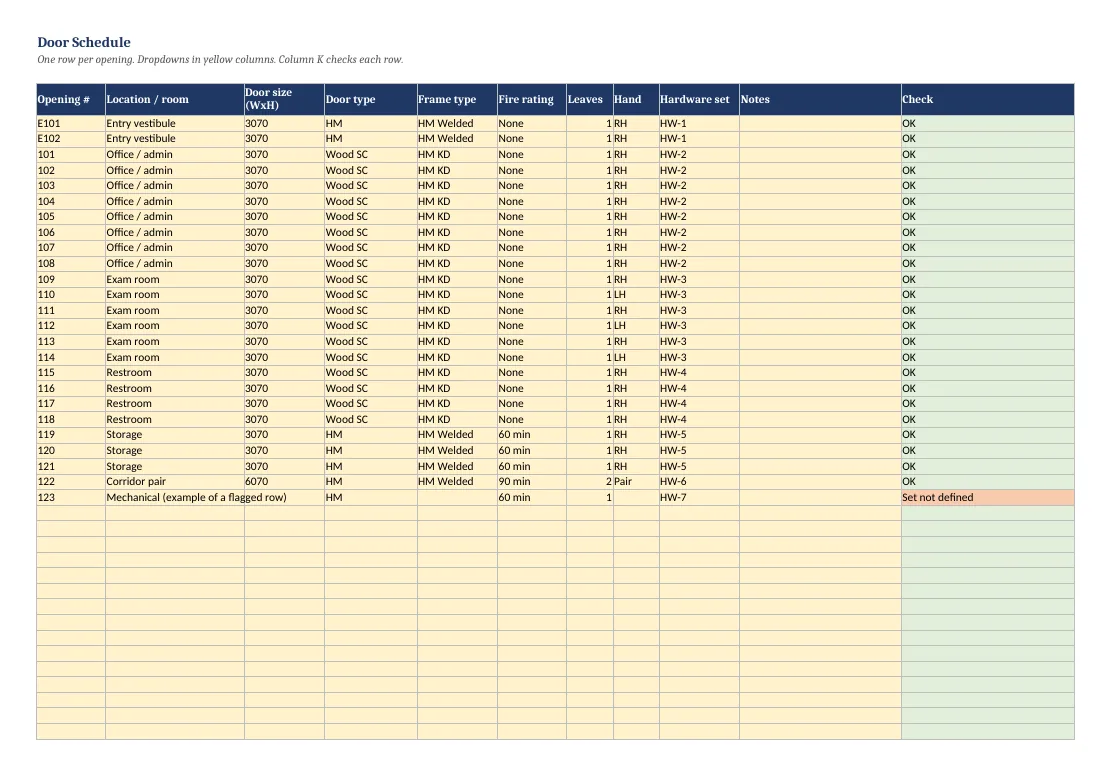
- Door Schedule with dropdowns for door type, frame, fire rating, hand and hardware set, plus a check column
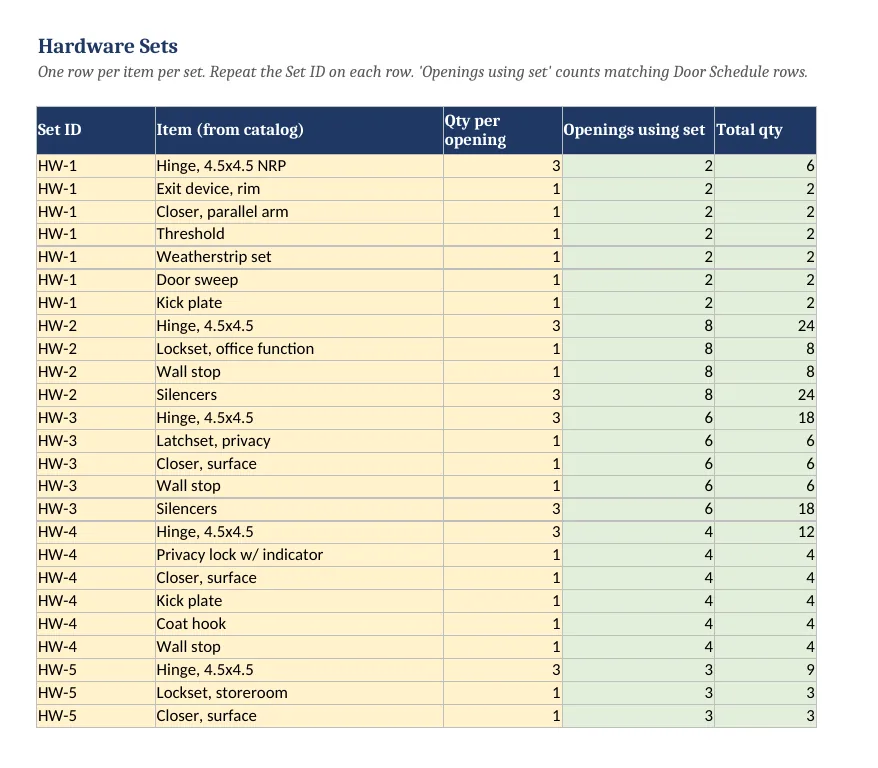
- Hardware Sets that count openings per set and total every item automatically
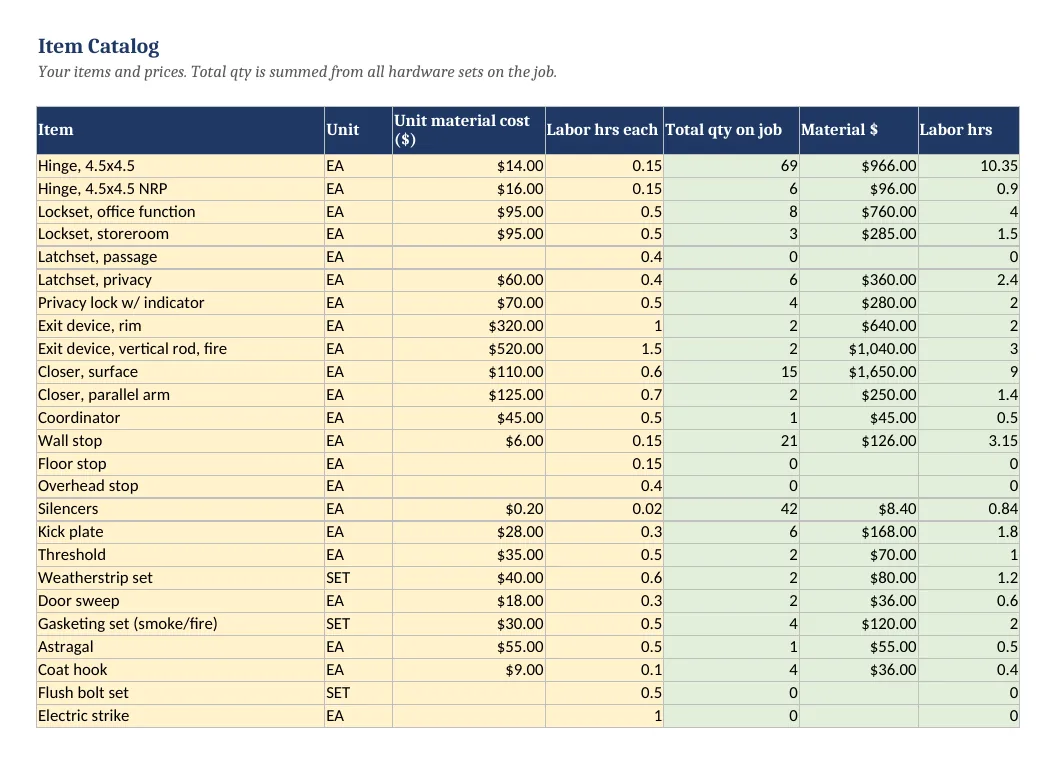
- Item Catalog (27 starter items; add your own) with your unit costs and labor hours
- Doors & Frames and Trim & Casework (with a waste %)
- Bid Summary with material markup, labor markup, overhead and tax
- A Scope & Exclusions library and a 12-question list to send before bid day
- A blank workbook and a filled-in sample job
What it checks for you
- Openings with no hardware set
- Hardware sets used on the schedule but never defined
- Fire-rated openings whose set has no closer
These are bid-time reminders, not a code review. Always verify against the specifications, drawings and addenda.
How it works
Yellow cells are for your input. Green cells are formulas; don't type over them. Enter your labor rate and markups once on the Settings sheet. Pick items from the catalog when you build a hardware set. The Bid Summary updates as you go.
Who it's for
Finish carpenters, door and hardware installers, small commercial subcontractors, and estimators in training. It is not a full-service residential general-contractor job-costing system, and it is not a substitute for reading the spec.
Important
Sample prices, labor hours and quantities are placeholders for a fictional project. Replace them with your own before you bid. This is an estimating aid, not legal, engineering or code advice.
Compatibility
Excel 2016 or later (Windows or Mac) and Google Sheets. To use it in Sheets, upload the .xlsx to Google Drive and open it with Google Sheets — import the whole file, don't copy sheets one at a time. No macros and no subscription.
License
One business. Use it on as many of that business's jobs as you want. Don't share or resell the files.
Refunds and support
If the workbook isn’t useful, email us within 14 days of purchase and we’ll refund you in full, no questions asked. After 14 days we still help if a file won’t open or a formula is broken: 1c071a70@mail.grokbot.com.
AI-use disclosure
The spreadsheet layout, formulas and text were drafted with AI tools and then reviewed, tested and corrected by us. Sample names, prices and amounts are placeholders for fictional projects.
Instant download (zip with BLANK + SAMPLE .xlsx). Excel 2016+ and Google Sheets. No macros, no subscription. 14-day no-questions refund.
Also from Plumb Jamb
- Finish Carpentry & Trim Takeoff Workbook ($39)
- Change Order & T&M Ticket Log for Subcontractors ($29)
- 1099 Tax, Expense & Mileage Tracker for the Trades ($19)
- Contractor Job Costing & Estimate Workbook ($29)
- Div 06-08 Estimator Bundle ($79)
- Subcontractor Compliance Tracker ($24)
- Contractor Office Bundle ($59)
- Free Door Schedule Starter