Get paid for extra work
Change Order & T&M Ticket Log for Subcontractors (Excel + Google Sheets)
Log every field ticket, roll tickets into change orders, and see what's signed, pending, approved and not billed yet. Built for trade subs, not GCs.
Instant download (zip with BLANK + SAMPLE .xlsx). Excel 2016+ and Google Sheets. No macros, no subscription. 14-day no-questions refund.
Save with the Div 06-08 Estimator Bundle: all 3 workbooks for $79 (separately $107). Save with the Contractor Office Bundle: all 3 workbooks for $59 (separately $77). Also pairs with the Job Costing & Estimate Workbook and the 1099 Tax Tracker.
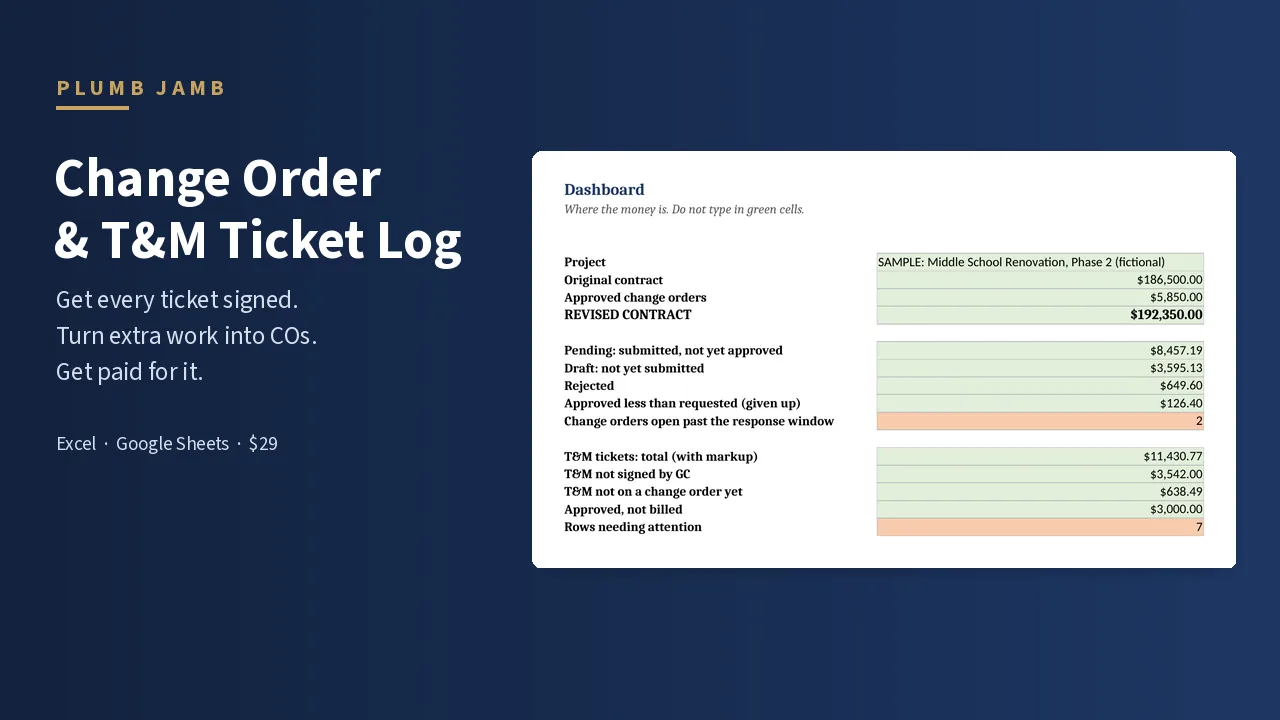
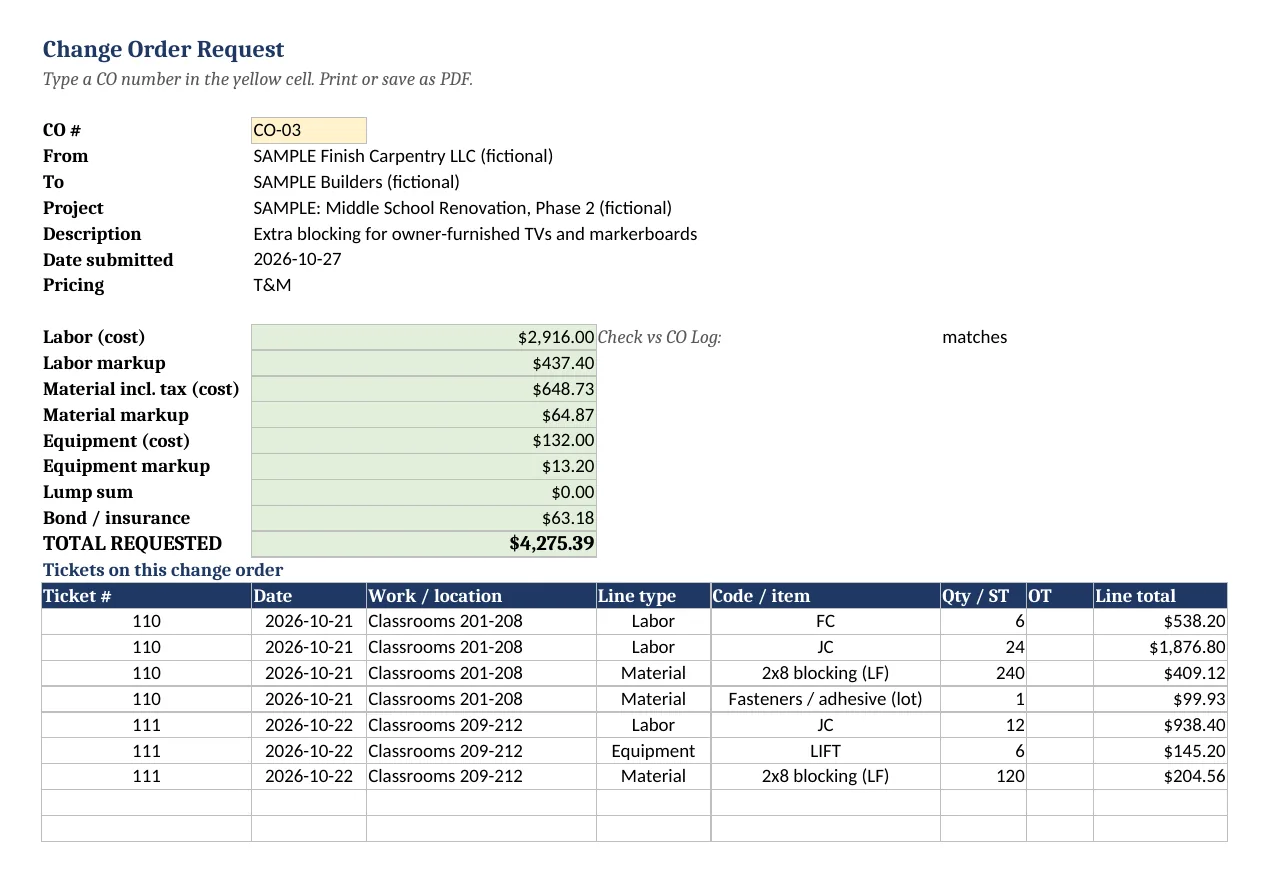
Screenshots (sample job)
Get every ticket signed. Turn extra work into change orders. Get paid for it.
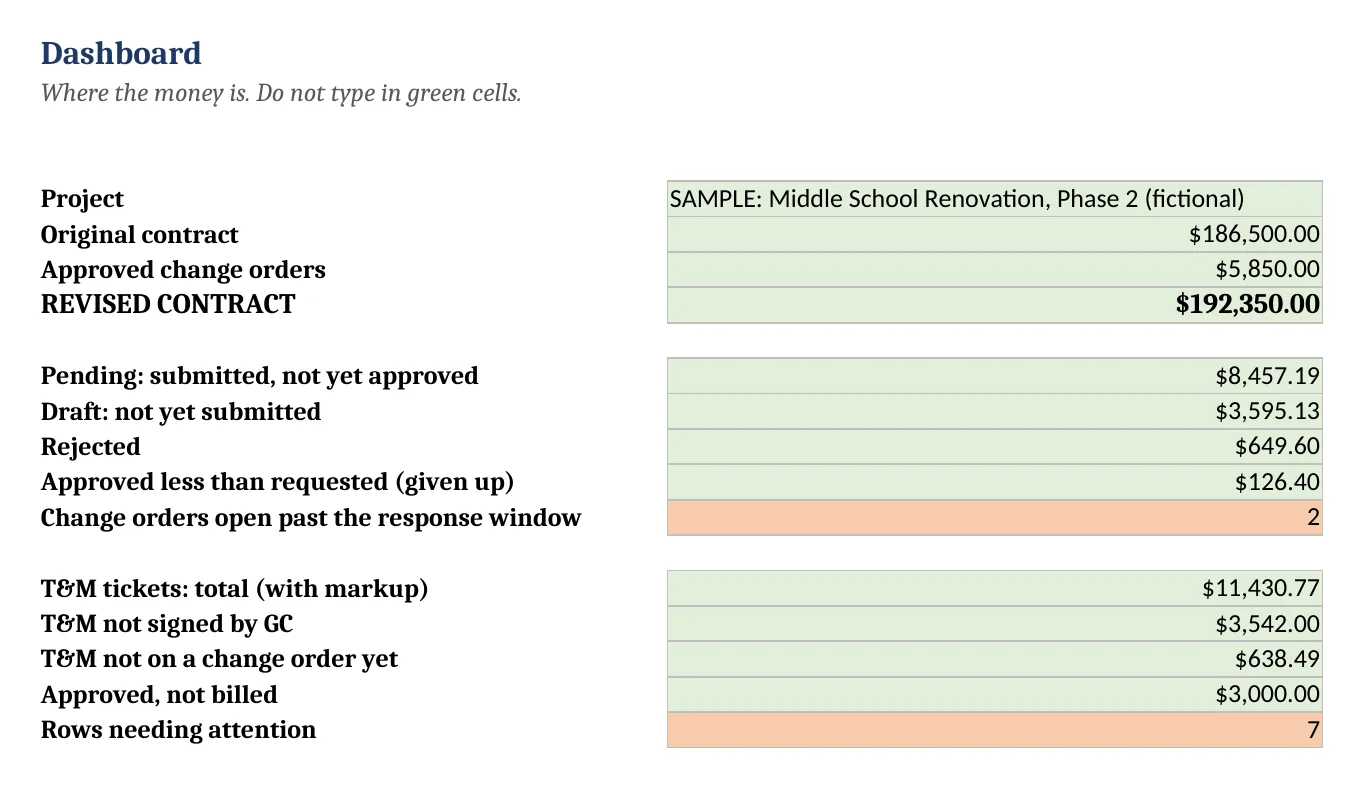
Subs lose money on extra work in three places: a T&M ticket nobody signed, a ticket that never made it onto a change order, and an approved change order that never got billed. This workbook tracks all three for one job and puts the dollar amounts on one dashboard.
What's inside
- Rates: labor classes with straight-time and overtime rates, plus equipment rates
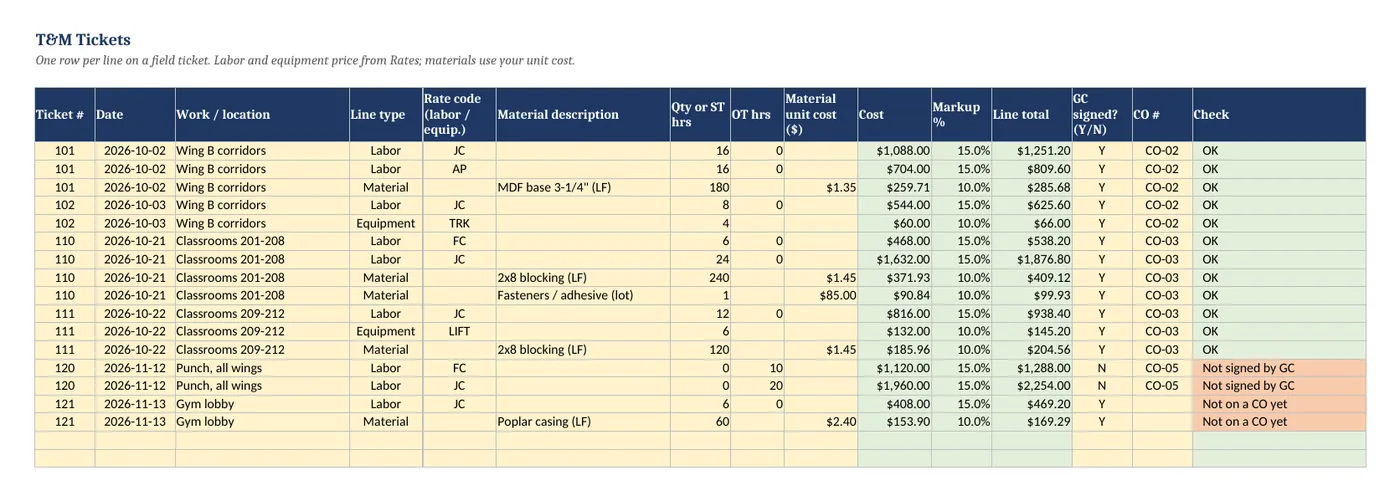
- T&M Tickets: one row per labor, material or equipment line. Prices itself from your rates, adds tax and your markups, and tracks the GC signature and the CO number
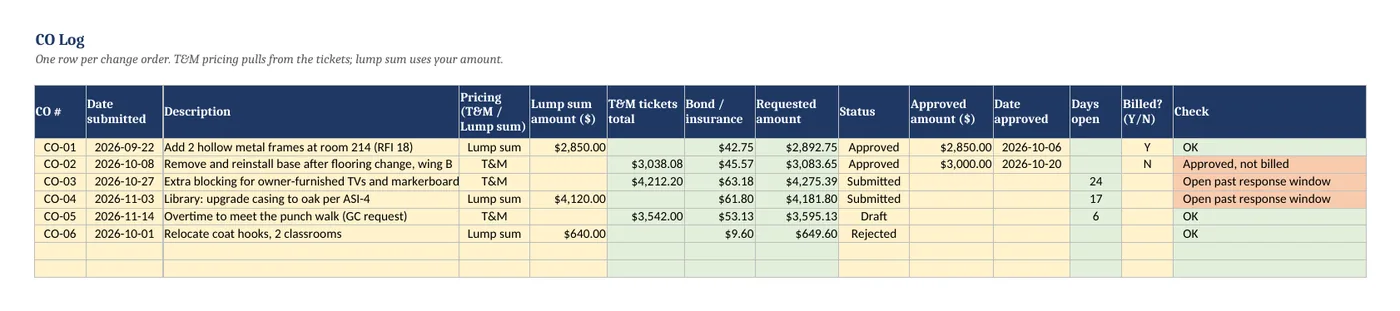
- CO Log: T&M or lump-sum pricing, bond/insurance add, status (Draft, Submitted, Approved, Rejected, Void), approved amount, days open, billed
- CO Request: type a CO number and get a printable request with the labor / material / equipment breakdown and every ticket listed
- Dashboard: revised contract, pending and draft exposure, rejected, money given up, unsigned tickets, tickets not on a CO yet, approved work not billed
- A printable blank T&M ticket for the crew
- A blank workbook and a filled-in sample job
What it checks for you
- Tickets not signed by the GC, or not on any change order yet
- Rate codes that don't exist, materials with no cost, missing hours or dates
- T&M change orders with no tickets, lump sums with no amount
- Change orders sitting past your response window
- Approved change orders with no amount, or not billed
Who it's for
Finish carpenters, door and hardware installers, drywall, flooring, paint and other trade subs who do extra work on GC-run jobs. It is not a GC's prime-contract change management system.
Important
Your subcontract controls notice deadlines, allowed markups and what a change order needs to be valid. Read it. This is a record-keeping and pricing tool, not legal or contract advice. These are original templates, not AIA forms. Sample names, rates and amounts are placeholders for a fictional project.
Compatibility
Excel 2016 or later (Windows or Mac) and Google Sheets. To use it in Sheets, upload the .xlsx to Google Drive and open it with Google Sheets — import the whole file. No macros and no subscription.
License
One business. Use it on as many of that business's jobs as you want. Don't share or resell the files.
Refunds and support
If the workbook isn’t useful, email us within 14 days of purchase and we’ll refund you in full, no questions asked. After 14 days we still help if a file won’t open or a formula is broken: 1c071a70@mail.grokbot.com.
AI-use disclosure
The spreadsheet layout, formulas and text were drafted with AI tools and then reviewed, tested and corrected by us. Sample names, prices and amounts are placeholders for fictional projects.
Instant download (zip with BLANK + SAMPLE .xlsx). Excel 2016+ and Google Sheets. No macros, no subscription. 14-day no-questions refund.
Also from Plumb Jamb
- Door & Hardware Takeoff Workbook ($39)
- Finish Carpentry & Trim Takeoff Workbook ($39)
- 1099 Tax, Expense & Mileage Tracker for the Trades ($19)
- Contractor Job Costing & Estimate Workbook ($29)
- Div 06-08 Estimator Bundle ($79)
- Subcontractor Compliance Tracker ($24)
- Contractor Office Bundle ($59)
- Free Door Schedule Starter