Free download
Free Door Schedule Starter (Excel + Google Sheets)
A free door schedule with hardware-set counts and a check column that flags openings with no set, undefined sets, and rated doors with no closer.
Enter $0 at checkout. Gumroad asks for an email to deliver the file. No macros, no add-ins.
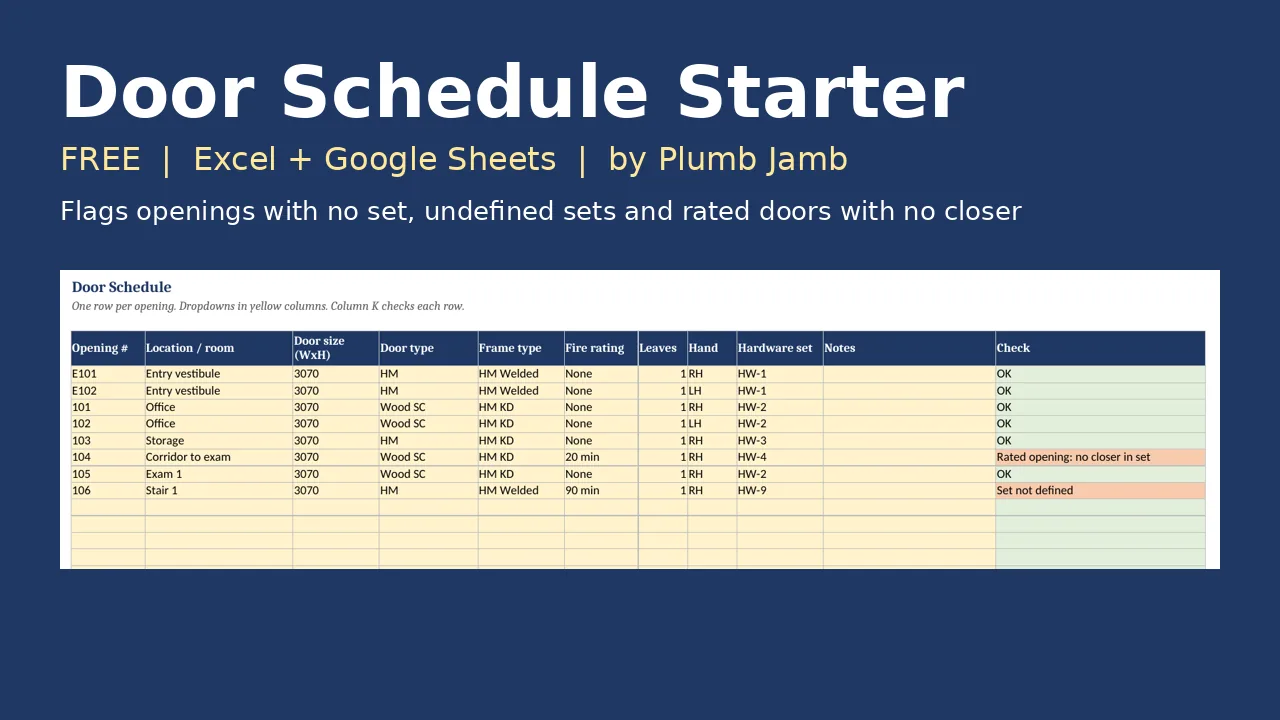
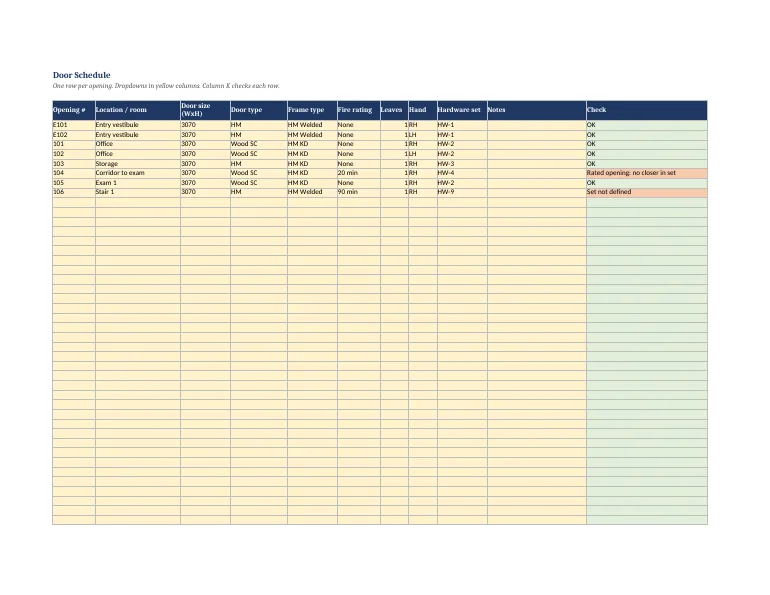
Enter each opening once. This free workbook counts how many openings use each hardware set and checks every row for the mistakes that cost money at bid time.
What you get
- Door Schedule (50 openings) with dropdowns for door type, frame, fire rating, hand and hardware set
- Hardware Sets sheet that counts the openings using each set
- A check column that flags: missing hardware set, set used but never defined, and fire-rated opening whose set has no closer
- Counts sheet: openings, leaves, fire-rated openings, rows needing attention
- A blank version and a small fictional example (two rows are flagged on purpose so you can see the checks work)
Works in Excel 2016+ and Google Sheets. No macros, no add-ins, no sign-up.
Honest limits
This free version does not total each hardware item across the whole job, apply your costs or labor hours, price doors, frames or trim, or build a bid. The checks are reminders, not a code review: verify against the specs, the architect's hardware schedule and addenda.
Need the rest?
The full Door & Hardware Takeoff Workbook ($39, 14-day refund) adds an Item Catalog with your unit costs and labor hours, job-wide item totals, Doors & Frames, Trim & Casework, a Bid Summary with markup, overhead and tax, a Scope & Exclusions library, an RFI log, and a filled-in sample job.
New to takeoffs? Read how to do a door hardware takeoff from a door schedule.
AI-use disclosure
The spreadsheet layout and formulas were drafted with AI tools and then tested and corrected by us. The example data is fictional.